Government websites are some of the most important pages on the internet — and almost none of them have RSS feeds, email lists, or change notifications. Regulations update silently. Tender deadlines change without notice. Court schedules shift overnight. If you work in compliance, government affairs, immigration law, public procurement, or policy research, manual monitoring of dozens of government pages is a job no one has time to do well. This guide shows how to automate it — with the audit trail your work requires.
Why monitoring government pages is so hard manually
Three structural problems make government pages uniquely difficult:
- No RSS, no email lists. Most government CMS platforms predate RSS adoption and never added email subscription. The "official channel" for change notifications is "check the page periodically."
- Updates without versioning. A regulation page might silently update its text without a changelog, a version number, or even a "last updated" timestamp. The only way to know is to compare against what was there before.
- High volume, low velocity. A government affairs team might track 200 pages — but only 1 in 50 changes per month. Manual checking is mostly wasted time looking at unchanged pages.
Automated monitoring solves all three: it watches every page continuously, captures full snapshots for comparison, and only alerts when something actually changed.
High-value page types worth monitoring
The most-tracked categories in our user data:
- Federal regulations and rule-making. Federal Register entries, agency policy pages, rulemaking dockets. A single rule change can affect entire industries.
- Tenders, RFPs, and procurement. Government RFP pages update when new contracts open and when deadlines extend. Missing the publish date can cost a contract.
- Court schedules and case dockets. Trial dates move, hearings reschedule, opinions get filed. Monitoring docket pages catches these in real time.
- Immigration policy. Visa requirements, processing times, country-specific guidance — all updated routinely without announcement.
- Tax authority pages. IRS, HMRC, EU tax authority guidance updates that change deduction rules, filing deadlines, or interpretations.
- Subsidy and grant programs. Eligibility criteria, application windows, funding levels.
- Local government. Permit requirements, zoning updates, building codes — page-level changes that affect specific properties or projects.
- Sanctions and enforcement lists. OFAC, EU sanctions lists, and similar enforcement databases update constantly.
How to monitor with a full audit trail
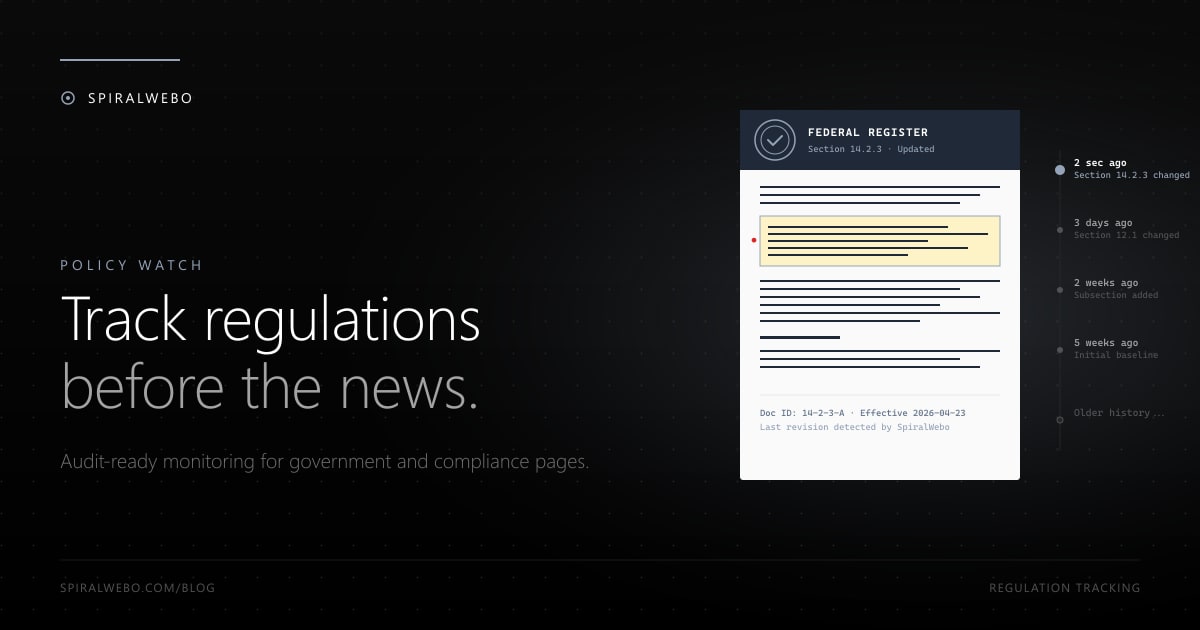
Compliance monitoring is different from consumer monitoring in one important way: you need evidence of when something changed, not just notification. The setup needs to capture:
- The full content of the page at each check (a snapshot, not just a diff)
- Precise timestamps in a tamper-evident format
- The specific element that changed and its before/after state
- An exportable history viewable months later
Most monitoring tools support this — look for "change history," "snapshot archive," or "audit log" features. ChangeTower is built specifically for this use case (compliance is their headline). SpiralWebo includes change history with timestamped diffs by default. Open-source ChangeDetection.io stores full snapshots if you self-host.
For seriously regulated industries (healthcare, financial services, defense), pair the monitoring tool with a separate evidence system that the monitor exports to via webhook — a Notion database, a SharePoint document library, or a dedicated compliance vault.
Setting up multi-region monitoring
Government affairs work usually spans multiple jurisdictions. The pattern that scales best:
- One Telegram channel per jurisdiction (e.g.,
#policy-federal,#policy-state-ca,#policy-eu) - One monitoring job per page
- Tag each job with its jurisdiction and topic
- Route to the right channel based on tag
This produces a real-time, segmented feed of every meaningful change happening across all your jurisdictions. Reading 30 minutes of channel history each morning replaces hours of manual page checking.
For jurisdictions in different time zones, schedule check times to align with local business hours when changes are most likely to be published — most government pages update during office hours, not at 3 AM.
Frequently asked questions
Is monitoring government websites legal?
Yes, almost universally. Government pages are explicitly intended for public access — that's the purpose of publication. Monitoring public government pages is on the strongest legal footing of any monitoring use case. The leading US precedent (hiQ Labs v. LinkedIn, Ninth Circuit 2022) affirms that automated access to public web pages does not violate the Computer Fraud and Abuse Act, and government data is even more clearly public domain.
What about classified or login-protected government pages?
Off-limits without authorization. If the page requires a login (e.g., agency contractor portals), don't try to monitor it without explicit permission. Stick to publicly published pages.
How often should I check?
Government pages change slowly. Daily checks are sufficient for most use cases. Hourly is overkill for almost everything except court dockets during active trials or sanctions lists during a fast-moving enforcement period. Less aggressive frequencies also reduce risk of triggering bot detection on government infrastructure that wasn't designed for high-volume access.
Will I cause problems for the government website?
Almost never. Daily checks at standard frequencies are completely indistinguishable from regular human traffic. Government infrastructure handles vastly more traffic than any individual monitor would generate. Be respectful: don't monitor at sub-minute intervals, don't monitor 1,000 pages on a single small agency, and don't ignore obvious robots.txt directives.
Can I monitor international government sites?
Yes. The same setup works for federal, EU, state, provincial, and municipal sites globally. Some sites geo-block requests from outside their country — for those, you'll need a monitoring tool that can run from the appropriate region (most paid tiers support this).
What about PDFs (regulations are often published as PDFs)?
PDF monitoring works but requires a slightly different approach — you're monitoring file changes rather than page text. See our dedicated guide on PDF change monitoring. The TL;DR: monitor the PDF URL directly with hash-based detection (changes when the file changes) plus optional text extraction for diff visibility.
How do I share alerts with my team?
Telegram channels are the simplest setup — create a channel, add the SpiralWebo bot as an admin, route monitoring jobs to that channel ID. Anyone subscribed receives every alert, with no email-list maintenance. Setup walkthrough here. For larger compliance teams that already standardize on Slack or Microsoft Teams, route via webhook to those instead.
Start monitoring policy changes today
Pick the one government page that matters most to your work — a regulation, a tender portal, a policy guidance page. Set up a daily monitor with Telegram alerts in 3 minutes. The next time it changes, you'll know within hours, with a full audit trail of what changed and when.
Start monitoring government pages free →
Once one is running, the natural extension is 20–50 monitors covering your full jurisdiction footprint, all flowing into segmented channels. That's the dashboard a real government affairs team runs on — and it costs less than a single legal database subscription.