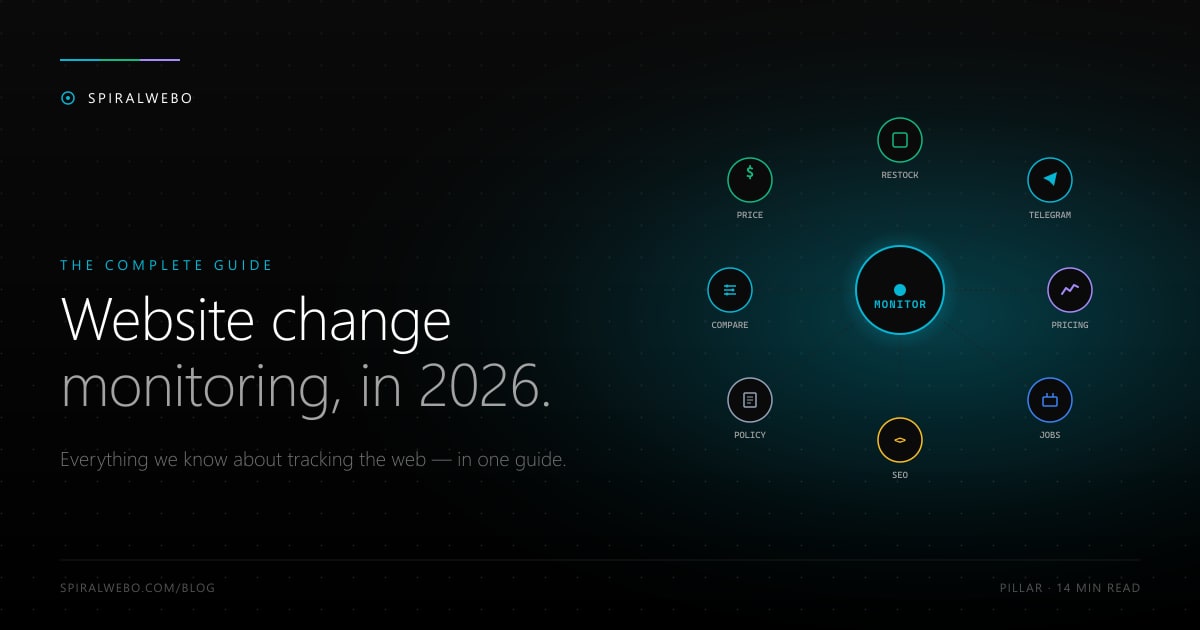
On Black Friday 2025, Walmart's PlayStation 5 page went from "out of stock" to "add to cart" for 47 seconds before being scalped clean. The shoppers who got one had something the others didn't: a website change monitor that hit their phone the second the listing flipped. This guide covers everything we know about website change monitoring in 2026 — what it is, how it works, the use cases that pay back the setup time, the tools worth using, and how to set up your first monitor in under five minutes.
In this guide, you'll learn:
- What website change monitoring is and how it works under the hood
- Nine real-world use cases — from price drops to compliance audits
- How to choose the right monitoring tool for your needs
- How to set up your first monitor in 5 minutes (with a Telegram alert walkthrough)
- Common pitfalls and how to avoid them
What is website change monitoring?
Website change monitoring is software that automatically watches a webpage on a schedule and notifies you the moment something changes. Instead of opening 30 browser tabs every morning to check for updates, you point a tool at the URLs you care about, tell it what to watch for, and get an alert — by email, Telegram, push, or webhook — only when there's actually something new.
The category has matured rapidly since 2024. Modern tools handle JavaScript-rendered pages, can monitor specific elements within a page (not just the whole HTML), support filtering to suppress noise, and integrate with messaging platforms for instant alerts. As of 2026, it's a polished category — and one that's increasingly indispensable for anyone whose work depends on knowing what's changing on the web.
How website change monitoring works
The 4-step monitoring loop
Every monitoring tool, regardless of complexity, runs the same four-step loop:
- Fetch. The tool requests the webpage on a schedule you set — every minute, every hour, every day.
- Compare. The new content is diffed against the previous snapshot. The tool decides: is this different from last time?
- Filter. A CSS selector, XPath expression, or visual region constrains what counts as a "real" change. This is what stops you getting alerts every time a rotating banner cycles.
- Alert. If a real change is detected, the tool fires a notification through your chosen channel — email, Telegram, Slack, webhook, push.
That's the whole mechanism. The differences between tools are mostly about how good each step is — how flexible the filtering is, how fast the fetch can run, how reliable the alerts are.
Visual vs HTML vs element-level monitoring
Three approaches dominate the category. Each has a sweet spot:
| Method | Best for | Trade-offs |
|---|---|---|
| Visual (screenshot diff) | Layout, banners, marketing pages, A/B tests | Misses code-only changes; harder to filter noise; visually compelling diffs |
| Full-HTML diff | Total content changes, source-of-truth detection | Very noisy on dynamic sites; alerts on every script update |
| Element / selector-based | Specific values like price, stock status, headlines | Requires picking the right CSS/XPath selector — but most tools have visual selector helpers |
For most use cases (price tracking, restocks, SEO monitoring, competitor pricing) element-level monitoring wins. For visual changes (layout, marketing, design), screenshot-based monitoring wins. For "I want to know about anything that changes" baseline tracking, full-HTML wins.
Why monitor website changes? Real use cases
The category covers an unexpectedly wide range of jobs. The most popular use cases:
Track price drops on e-commerce pages
The most common consumer use case. Set a monitor on a product page, get an alert the second the price drops. Beats every retailer's built-in "notify me" feature, beats every deal aggregator, and works on stores that have neither. Read the full price-tracking guide.
Get restock alerts (sneakers, GPUs, consoles)
Same mechanism as price tracking, different element. Watch the "Add to cart" button or stock-status text — get alerted the moment inventory returns. The difference between snipping a sold-out item and missing it is usually less than 60 seconds. Restock alerts setup guide.
Monitor competitor pricing
For B2B SaaS and e-commerce: tracking your direct competitors' pricing pages turns competitive intelligence from a quarterly exercise into a continuous stream of signals. When a competitor raises a tier or quietly tests a discount, your team knows within an hour. Competitor pricing monitoring guide.
Detect SEO changes (titles, meta, robots.txt)
One of the highest-leverage internal use cases. A title tag accidentally blanked in a deploy can tank rankings for two weeks before anyone notices. SEO change monitoring catches it within an hour. Works on competitors too — see when they update their meta descriptions or shift their messaging. SEO monitoring guide.
Track job postings on career pages
Job aggregators like LinkedIn and Indeed surface new roles hours or days after they appear on a company's career page. Monitoring the career page directly gets you in front of recruiters before the application rush. Career-page monitoring guide.
Watch government & regulation pages
Most government pages don't have RSS feeds or email lists. Regulations update silently. Tender deadlines change without notice. Automated monitoring with a full audit trail is purpose-built for compliance, government affairs, and legal research teams. Government page monitoring guide.
Monitor real estate listings
New listings on Zillow, Realtor.com, MLS sites, and local agency pages. Built-in alerts batch daily; real-time monitoring is hours-fast — important in tight markets where listings sell within 48 hours of going live.
Track PDF and document updates
Regulations, contracts, syllabi, financial reports — many critical documents live as PDFs without versioning. Monitor the file URL, get alerted when the file changes, get the new version automatically.
Detect website defacement and security incidents
For owners of high-visibility websites: monitoring your own pages for unexpected content changes catches defacement, content injection, and unauthorized edits within minutes — usually faster than your WAF or your customer support.
That's nine of the most common use cases. Website change monitoring works for almost any page that changes — explore /blog for more guides as we publish them.
How to choose a website change monitoring tool
7 features that actually matter
- Check frequency. Hourly is enough for most use cases; restocks and flash sales need 1-minute checks. Free tiers usually start at hourly or daily.
- Selector precision. CSS, XPath, or visual region — the more flexible the selector, the less noise in your alerts.
- JavaScript rendering. Modern sites render content via JS; tools that fetch raw HTML miss everything. Check that JS rendering is supported (and whether it's free).
- Notification channels. Email, Telegram, Slack, webhook, push, SMS. Telegram is the speed king for time-sensitive alerts.
- Free tier generosity. Pages × frequency × channels included. The differences between free tiers are huge.
- Change history viewer. Snapshot archive with timestamped diffs. Critical for compliance and audit use cases.
- Login & private-page support. If you need to monitor pages behind authentication, only some tools handle it cleanly.
Top tools in 2026 — honest comparison
The category is dominated by a handful of tools, each with distinct strengths:
| Tool | Free plan | Paid from | Best for |
|---|---|---|---|
| SpiralWebo | 1 page, hourly, all channels incl. Telegram | $0 (growth mode) | Telegram-first, simple UX, free |
| Visualping | 5 pages, daily, email only | $10/mo | Visual diff, screenshots |
| ChangeDetection.io | Unlimited (self-hosted) | $8.99/mo (SaaS) | Open source, self-hostable |
| Distill.io | 25 pages, 6h checks | $15/mo | Power users, granular control |
| ChangeTower | 3 monitors | $7/mo | Compliance, audit trails |
| Hexowatch | 1 monitor, weekly | $13/mo | 13 monitoring modes |
| Wachete | 5 pages, daily | $4.90/mo | Cheapest paid tier |
| UptimeRobot | 50 monitors (mixed uptime) | $7/mo | Uptime + change in one |
For deeper comparison see our 9 Visualping alternatives and best free website change monitors guides.
How to set up website change monitoring (step-by-step)
The actual setup takes 3–5 minutes. Here's the full flow.
Step 1 — Pick the page and the element to monitor
Open the page you want to monitor. Decide what specifically you care about — the price element, the "in stock" indicator, the title tag, a specific section of the body. Don't monitor the whole page if you can avoid it; you'll get alerts for every banner change and recommendation carousel.
Right-click the element and choose "Inspect" to see its HTML structure, or use a monitoring tool with a visual selector tool that lets you click the element directly.
Step 2 — Choose a check frequency
Match the frequency to the speed of decisions you'll make from the data:
- Flash sales, restocks: 1 minute (paid tier required for most tools)
- Standard e-commerce, job postings: hourly
- SEO monitoring, competitor pricing: hourly to daily
- Government regulations, legal docs: daily
Step 3 — Set up notifications (especially Telegram)
Notification channel choice matters more than people realize. For time-sensitive alerts, the difference between email (5–15 min delay, often in spam) and Telegram (5–30 second push) is the entire decision window.
Setting up Telegram alerts is the highest-leverage thing you can do for monitoring quality of life. The flow in SpiralWebo:
- From your dashboard, click Profile Settings → Notifications → Connect Telegram. SpiralWebo shows a QR code and a deep link.
- Scan the QR code or tap the link — your Telegram app opens with our bot, ready to send a registration message.
- Tap send on the pre-filled
/registermessage. The bot replies "Connected ✓" and your account is linked. - On any tracking job, tick the Telegram checkbox under notification channels. Save.
The next change SpiralWebo detects on that page hits your phone within seconds. Full Telegram setup guide here.
Step 4 — Test and tune to reduce noise
Your first day with a new monitor will probably surface false positives — alerts triggered by elements you didn't intend to track. Refine the selector, add ignore patterns for known dynamic content, and adjust the threshold. Within a week the alerts settle into a low-noise stream of changes that actually matter.
Common challenges (and how to solve them)
"My alerts are too noisy"
The selector is probably too broad. Move from full-HTML diff to element-level monitoring. If the element you want is wrapped in dynamic content (timestamps, view counters, rotating banners), use ignore patterns or regex filters to strip them before comparing.
"The page uses JavaScript and I see no changes"
The page renders content client-side; raw HTML doesn't include the values you care about. Enable JavaScript rendering on the tracking job. This is slower and more compute-intensive but mandatory for SPAs and modern e-commerce sites.
"The page is behind a login"
Three options. First, check whether an official API exists — almost always cleaner than monitoring the HTML page. Second, use cookie-based auth on a tool that supports it. Third, respect the site's TOS — many explicitly prohibit automated access to logged-in pages.
"I'm getting blocked or rate-limited"
Slow down. Aggressive sub-minute checks trigger bot detection on most major sites. Hourly is safe almost everywhere. Use a tool that rotates IPs and respects standard user-agent norms.
"Is this legal?"
For publicly accessible pages, yes — almost universally. The leading US precedent (hiQ Labs v. LinkedIn, Ninth Circuit 2022) holds that scraping public web pages does not violate the Computer Fraud and Abuse Act. EU jurisdictions take a similar position. Pages behind a login introduce contract-law issues; read the TOS. This isn't legal advice; for serious commercial monitoring at scale, talk to a lawyer.
Frequently asked questions
What is website change monitoring?
Software that automatically watches a webpage on a schedule and notifies you the moment something changes. You point it at the URL, choose what to watch, and get alerts via email, Telegram, push, or webhook only when there's a real change.
How often should I check a website for changes?
Match the frequency to your decision speed. Hourly is enough for most use cases. Restocks and flash sales benefit from 1-minute checks. Government regulations and legal documents work fine on daily checks.
What's the difference between website change monitoring and uptime monitoring?
Uptime monitoring tells you whether a site is online (200 OK vs 500). Change monitoring tells you whether a site's content has changed. Some tools (like UptimeRobot) bundle both; most are specialized for one or the other.
Can I monitor a page behind a login?
Technically yes, with cookie or token-based authentication. Whether you should depends on the site's terms of service. Always check for an official API first.
Does website change monitoring work on JavaScript-rendered pages?
Yes, but only with tools that enable JavaScript rendering. Many free tiers gate this feature behind paid plans. Check before signing up if you need to monitor SPAs or modern e-commerce sites.
Can I get website change alerts on Telegram?
Yes — SpiralWebo includes Telegram alerts on the free plan as a first-class channel. Most other monitoring tools require routing webhooks through Zapier or scripting to reach Telegram. See the Telegram setup walkthrough.
Is website monitoring legal?
For public pages, almost always yes. The hiQ Labs v. LinkedIn case in the US Ninth Circuit affirmed that scraping publicly accessible pages does not violate the Computer Fraud and Abuse Act. EU jurisdictions agree. Pages behind a login depend on the site's TOS.
What's the best free website change monitor?
Depends on what "best" means. SpiralWebo is the only free tier with native Telegram support. ChangeDetection.io self-hosted is unlimited. Distill.io free gives you 25 pages but with a 6-hour minimum interval. See our free tier deep dive for the full comparison.
Start your first monitor in two minutes
You don't need to read further. Pick the one webpage that matters most to you — a product page, a job board, a regulation page, your own site's homepage. Set up a tracking job, link your Telegram, and the next time something changes you'll be the first to know.
SpiralWebo's free plan includes 1 monitored page, hourly checks, and Telegram + email + web push alerts at no cost — no credit card. Start monitoring free →
Once you have one running, the natural progression is 5–10 monitors covering the full set of pages you care about, all flowing into one Telegram channel. That's the real-time feed of the web's most important changes — tailored to exactly what matters to you.