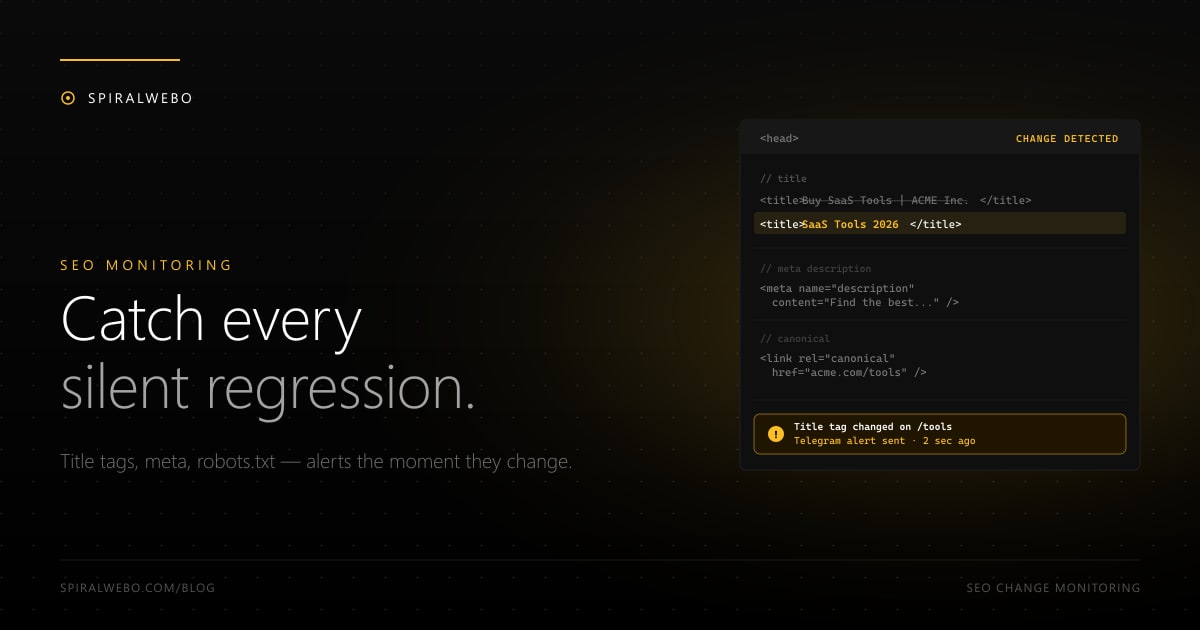
Most SEO regressions happen silently. A developer pushes a routine release, the title tag breaks, robots.txt accidentally disallows the entire site, the canonical points to staging — and you don't notice until rankings drop two weeks later. By then, recovery takes weeks. Automated SEO change monitoring catches these regressions in minutes, not weeks. This guide shows you exactly which SEO elements to monitor on your own site (and on competitors), how to set up the monitors, and how to route alerts so they actually get acted on.
The "silent SEO regression" problem
SEO is uniquely vulnerable to invisible breakage. Consider what can change without anyone noticing in a deploy:
- The
<title>tag becomes blank because a CMS field was renamed - The meta description is replaced by a default placeholder
- A new analytics script overwrites the canonical URL
- Someone "tidies up" the robots.txt and accidentally disallows /products/
- A redirect from /old-page to /new-page silently breaks during a refactor
- Hreflang tags get the wrong language codes after a translation update
None of these will throw a runtime error. None will fail your CI. They'll just quietly wreck rankings. Your first warning is usually a Search Console drop or a slack from your CRO three weeks later.
What SEO elements to monitor
The high-value targets, ranked by impact-of-regression:
- Title tag — the single highest-impact on-page element. Monitor every important page's
<title>. - Meta description — affects CTR more than rankings, but a missing meta description means Google generates one from page text (often badly).
- H1 — second most important on-page heading. If your H1 changes accidentally, it usually means something else broke too.
- Canonical URL — wrong canonical = pages compete with themselves or get de-indexed entirely.
- Robots.txt — a wrongly-configured robots.txt can de-index your entire site. Check daily, alert on any change.
- Sitemap.xml — count of URLs, last modified date. A dropping URL count is an early warning.
- Hreflang tags — for multi-language sites, hreflang errors are silent and severe.
- Structured data (JSON-LD) — schema breakage tanks rich results.
- Open Graph and Twitter Card meta — affects social shares; less critical but worth catching.
- X-Robots-Tag HTTP header — sometimes set at the CDN level, easy to break with a config change.
Setting up SEO change monitors
Step 1 — Pick your high-priority pages
You can't monitor every URL on a 50,000-page site. Pick the top 20–50 pages by traffic or revenue. Add your homepage, your top product/service pages, and your top organic landing pages. That covers 80% of your SEO surface area.
Step 2 — Create one monitor per element per page
For each page, set up monitors for the title, meta description, H1, and canonical separately — not as a single monitor watching the whole <head>. Why separate? Because when the alert fires, you immediately know what changed without diffing the whole <head>.
The CSS selectors are simple:
- Title:
head > title - Meta description:
meta[name="description"]attribute selector for thecontentattribute - H1:
h1 - Canonical:
link[rel="canonical"]attribute selector forhref
For monitors that watch HTTP headers (X-Robots-Tag) or files outside the page (robots.txt, sitemap.xml), set up dedicated monitors targeting the file URL directly.
Step 3 — Daily check is enough for most, hourly for prod-sensitive
SEO changes don't happen every minute. Daily monitoring catches deploy-day regressions before they cost you a week of rankings. For e-commerce or news sites with multiple deploys per day, bump to hourly on the most important pages.
Step 4 — Set up two alert channels
One channel for "production SEO changed unexpectedly" — this should be high-urgency, ideally Telegram + Slack to the engineering team. Another channel for "competitor SEO changed" — lower urgency, weekly digest is fine.
Monitoring competitors' SEO changes
Same setup, different intent. When a competitor changes their title tags, expands a piece of content, or updates schema markup, that's a signal — they're either trying to rank for a new keyword, restructuring around feedback, or testing something. Monitoring 5–10 direct competitors' top-traffic pages turns SEO from a black box into a continuous stream of competitive signals.
What to watch on competitors:
- Title and H1 changes on their top organic pages
- New blog posts (monitor the blog index page)
- Sitemap.xml URL count (a spike = they shipped new content)
- Pricing page changes (tightly related to competitor pricing monitoring)
For competitive intelligence specifically, pipe everything into one shared channel — your SEO and content teams should both see the signal.
Building an SEO change dashboard
Once you have monitors firing, you need a way to see them. Three patterns work well:
- Telegram channel for production alerts. Real-time, free, easy. The engineering team subscribes; alerts trigger investigation immediately.
- Slack channel for cross-team visibility. Less urgent, more discoverable. Marketing, content, and SEO all see what changed and when.
- A Google Sheet or Notion log. Routes changes via webhook into a structured log. Useful for retrospectives ("why did rankings drop in March?") and for executive reporting.
The most resilient setup uses all three: Telegram for now, Slack for the team, sheet for the record.
Frequently asked questions
How is this different from rank tracking?
Rank tracking tells you what your positions are after Google has reacted to a change. SEO change monitoring tells you what changed on the page before Google reacts. The two are complementary — one is the cause, the other is the effect.
What about content changes (paragraphs, images)?
Possible, but noisy. Content changes happen routinely (typos, copy updates, A/B tests) and most aren't SEO-critical. Better to monitor the structured SEO elements (title, meta, canonical) and accept that body-content changes are hard to filter usefully.
Can I integrate with Google Search Console?
Yes — pair page-level change monitoring with Search Console alerts (impressions/clicks dropping). When a page suddenly drops in GSC AND your change monitor caught a title/meta change on the same page, you have your root cause in minutes instead of days.
What's the cheapest SEO monitoring setup?
SpiralWebo's free tier covers 1 page with hourly checks and Telegram alerts — enough to monitor your homepage's title tag. For 20+ pages of monitoring you'll need a paid tier (typically $10–20/month). See our free tier comparison for alternatives.
Will my CI/CD pipeline trigger false alerts?
Possibly, if your deploys legitimately change the elements you're watching. Two fixes: pause monitors during scheduled deploys (most tools support this), or add a "expected" baseline that updates after a successful deploy. The simpler approach is to accept occasional alerts and treat them as forcing-functions to verify deploys didn't break SEO.
What about JavaScript-rendered title tags (SPAs)?
Common issue with modern frameworks. The raw HTML has a default title; the real title gets injected by the JavaScript framework. Solution: use a monitor with JS rendering enabled. See our guide on JS-rendered monitoring.
Set up SEO monitoring on your top page in 5 minutes
Pick your homepage. Set up monitors for the title tag, meta description, and canonical URL. Route alerts to a Telegram channel your dev team subscribes to. The next time someone accidentally breaks one of those, you'll know within minutes — and you'll fix it before Google has time to penalize you.
From there, scale to your top 20 pages, then add competitor monitoring. Within a week you'll have continuous visibility into every meaningful SEO change happening across your site and your category — for less than the cost of one rank-tracking tool subscription.