If you sell anything online, you've already had this experience: a competitor changes their pricing, you find out three weeks later from a customer who switched to them. Manual competitive monitoring scales to about 5 competitors before it eats your week. Automated competitor pricing monitoring scales to 500. This guide covers what's legal, how to set it up reliably without getting blocked, and how to turn the raw signal into a useful pricing dashboard your team actually checks.
Why competitor pricing intelligence matters
Three reasons companies invest in real-time pricing intelligence:
- Defensive moves. A competitor undercuts your hero SKU by 15%. The longer you take to notice, the more deals you lose. Real-time alerts close that gap from weeks to minutes.
- Offensive moves. You're launching a price drop or a promotion. Knowing what each competitor is currently charging lets you position relative to the cluster, not against an outdated number.
- MAP enforcement. If you sell a manufacturer's product with minimum advertised pricing rules, you need to detect violations within hours so you can report them to the brand. Most brands won't act on month-old screenshots.
Competitive intelligence used to mean a junior analyst manually checking 30 URLs every morning. The same person can now monitor 300 URLs automatically and spend their time on the strategic interpretation.
What you can (and cannot) legally monitor
The legal picture is clearer than most people assume.
Public pages — almost always OK. Your competitor's pricing page, comparison page, blog, product catalog, public press releases. The leading US precedent is the hiQ Labs v. LinkedIn case (Ninth Circuit, 2022), which broadly held that scraping publicly accessible web pages does not violate the Computer Fraud and Abuse Act. The EU has similar rulings under the Computer Misuse Directive. As long as the page is reachable without logging in, you can almost always monitor it.
Behind-login pages — read the TOS. Pages that require an account introduce contract law (the site's terms of service) on top of computer-misuse law. Most competitor portals explicitly forbid automated access in their TOS. Technically possible to monitor; legally riskier; ethically dubious.
API monitoring. Many SaaS competitors have public APIs (rate-limited, documented). Pulling pricing from an official API is always cleaner than scraping a webpage. Always check for an API first.
None of this is legal advice — talk to your lawyer before launching a serious competitive intelligence program. But for a marketing or product team monitoring 20–50 public pricing pages, you're well inside the safe zone.
Set up competitor pricing monitors step-by-step
Step 1 — Catalog the URLs you actually need
Don't start with 100 URLs. Start with the 5–10 that move your business. For most B2B SaaS that's: each direct competitor's pricing page, their "compare to us" page (if any), and their public-tier signup pages. For e-commerce: top 20 SKUs across 3–5 competitors.
Concretely: build a spreadsheet with columns for Competitor, URL, Page type (pricing / SKU / comparison), Update frequency, and Why monitored. The "why monitored" column is the one most companies skip and later regret.
Step 2 — Identify the right element to watch
If you monitor the entire pricing page, you'll get an alert every time the marketing team rotates a customer logo. Tighten the selector to the element that contains the actual price (or the per-tier feature list, if you're tracking feature differentiation). On most modern pricing pages this is a <span class="price"> or similar.
For SaaS pricing specifically, monitor the per-tier price + the feature list separately. A tier might quietly add a feature without changing the headline price — that's still a competitive signal worth catching.
Step 3 — Pick a respectful check frequency
Conservative is correct. Hourly is more than enough for almost any pricing change you'll act on. Daily is fine for most strategic monitoring. Don't go sub-hourly — you'll trigger bot detection and you don't gain anything actionable.
Recommended frequencies by use case:
- Headline pricing pages: hourly
- Individual SKUs (e-commerce): 4–6 hourly
- Feature comparison pages: daily
- Competitor blog / press releases: daily
- "About" / leadership pages: weekly
Step 4 — Route alerts to a team channel, not your inbox
The single biggest reason competitive intelligence programs die is that the alerts go to one person's inbox and that person leaves the company. Pipe everything into a shared channel from day one — a Slack channel called #competitor-watch, a Telegram channel for cross-functional teams, or both. SpiralWebo's Telegram channel setup is one of the simplest ways to do this.
Avoiding blocks and bot detection
Aggressive monitoring will get your IP rate-limited or blocked. Most monitoring tools have sane defaults; you only run into trouble when you push them. Best practices:
- Realistic frequency. Hourly is invisible to most retailers; minute-level checks raise flags. Don't check faster than you need.
- Browser-like user agent. The default user-agent of most monitoring tools is Chrome on Windows or macOS, which blends in. Don't override it with "MyMonitorBot/1.0" — that announces you're a bot.
- Geographic distribution. If your monitor checks from a Hetzner datacenter and the retailer geo-blocks datacenter IPs, you'll be blocked even at low frequencies. Reputable monitoring tools rotate residential IPs for this exact reason.
- Respect robots.txt as a signal, not a rule. robots.txt is advisory, not legal. But if a competitor explicitly disallows monitoring of their pricing page, do you really want that fight? Often easier to find another signal.
- Cloudflare and Akamai. Modern bot detection (Cloudflare Turnstile, PerimeterX) blocks naive monitoring. The fix is usually JavaScript rendering with proper headers — most paid monitoring tools handle this transparently.
Building a competitive pricing dashboard
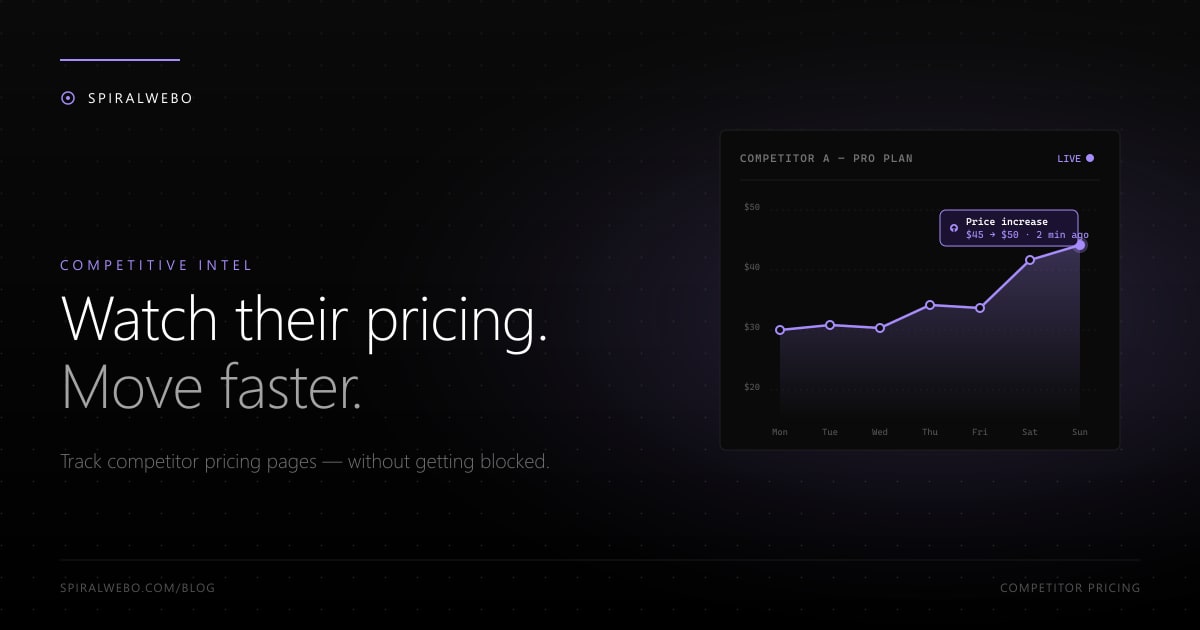
One alert per change is noisy. After a few weeks you'll want to see trends: which competitors are raising prices, which are running quiet promotions, which are testing new tiers.
The simplest dashboard is a Telegram channel where every detected change is logged with timestamps. Scrollable history, searchable, free. Works for teams up to ~10 people. Setup guide here.
For larger teams or executive reporting, route the same webhook to:
- A Google Sheet (one row per detected change, charts auto-generated)
- A Notion or Airtable database with tags per competitor
- Your BI tool (Looker, Metabase) for trending and dashboards
The webhook is the integration point. Most monitoring tools expose one. Once it's flowing, you can layer any visualization on top.
Frequently asked questions
Is monitoring competitor pricing legal?
For public pricing pages, almost always yes. The hiQ Labs v. LinkedIn case in the Ninth Circuit is the leading US precedent affirming that scraping publicly accessible data is not a violation of the Computer Fraud and Abuse Act. EU jurisdictions take a similar position. Pages behind a login introduce TOS issues — read the fine print.
How often is too often?
Hourly is invisible to most sites. 5-minute checks start triggering basic rate-limiting on smaller sites. Sub-minute checks will get you blocked by anyone using Cloudflare. Pick the frequency that matches the speed of decisions you'll make from the data — for pricing, hourly is almost always sufficient.
What if my competitor uses a public API?
Use it. APIs are designed to be consumed and almost always have higher rate limits, cleaner data, and better TOS coverage than scraping the webpage. Pulling from a public API costs less computationally and is more reliable. Always check for an API before scraping.
Can I track pricing changes across multiple geographies?
Yes — but you'll need a monitor that can run from each region (residential proxies or geographic distribution). Pricing varies by country, currency, and even ZIP code on some retailers. Most paid tools support geographic distribution; free tiers usually don't.
What's the cheapest setup that actually works?
SpiralWebo's free tier covers 1 monitored URL with hourly checks and Telegram alerts — enough for tracking one critical competitor URL. For 5–10 URLs (a typical SaaS competitive set), expect $10–20/month across most tools. Self-hosted ChangeDetection.io is free if you're willing to manage infrastructure. See our free-tier comparison for the full picture.
How do I avoid alerting on irrelevant changes (banners, dates)?
Tighten the selector to the specific price element. Don't monitor the whole page. If the page has dynamic elements you can't avoid (rotating banners, "X people bought this in the last hour"), use regex-based ignore patterns to strip them before comparing. We have a dedicated guide on reducing false positives.
Set up your first competitor monitor today
Pick your top competitor. Pick their pricing page URL. Set up an hourly monitor with Telegram alerts in 3 minutes. The next time they change something — anything — you'll know within an hour, and your team will be in the conversation before the change shows up in customer feedback.
Start your first competitor monitor free →
Once you have one running, the natural progression is to scale to 5–10 monitors per direct competitor and route everything into one shared channel. That's the dashboard a real competitive intelligence program runs on — and it costs nothing to start.