"Free" is a slippery word in the website monitoring category. Some tools mean "free forever, with limits." Others mean "free for 14 days, then we charge you." A few mean "free if you can run a Docker container." This guide cuts through the marketing and tells you exactly what each free tier actually gives you, what it doesn't, and which one is the best fit for what you want to track. We tested all 8 tools on the same use case so you don't have to.
What "free" actually means in this category
Three different things get marketed as "free" in website change monitoring:
- Free forever (with limits). A real free tier — capped at N pages or N checks per day, but you can use it indefinitely. Most tools in this guide are this kind.
- Free trial. Full access for 7–30 days, then you pay or the monitors stop. Useful for evaluation, not for ongoing use. We've excluded these.
- Free if self-hosted. Open-source software you run on your own server. No usage limits, but you pay for hosting and you maintain it.
The honest comparison below gives you each tool's free-tier limits, plus what hits you when you outgrow them.
How we tested each free tier
One use case, run identically across all 8 tools: monitor 3 product pages (Walmart PS5, Best Buy GPU, Amazon sneaker) for price changes, with alerts going to email. We measured:
- Time to first working monitor (signup → alert ready)
- Smallest check frequency available on the free tier
- How many monitors you actually get
- Notification channels included free
- The first thing they try to upsell
The 8 best free tools, ranked
1. SpiralWebo — best free plan if you want Telegram alerts
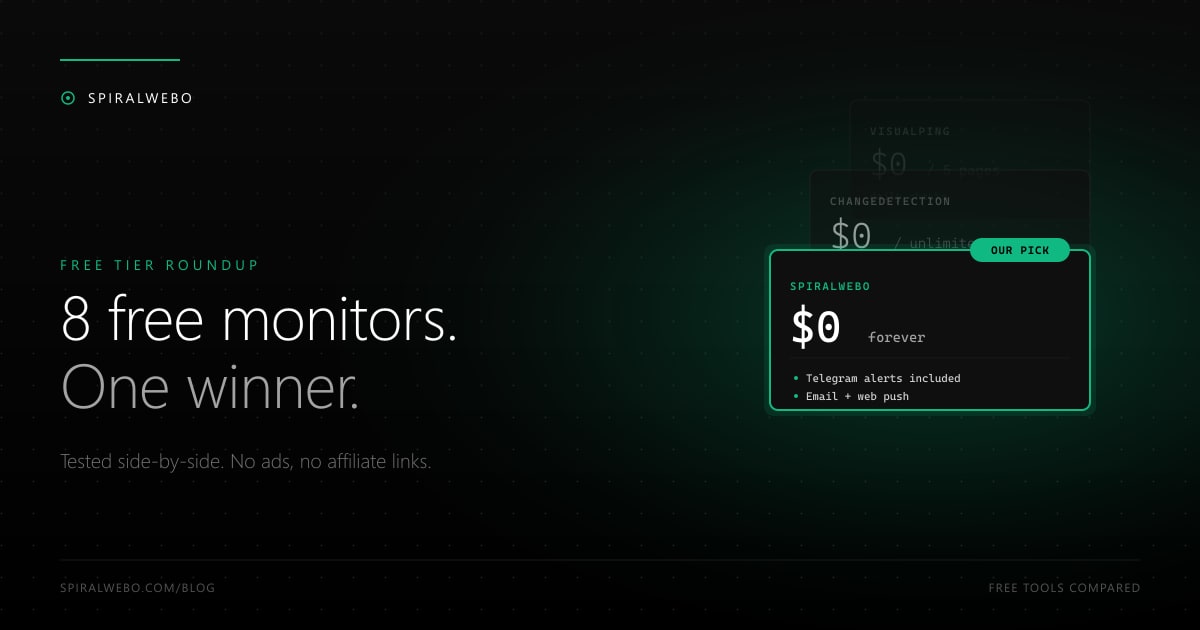
Limits: 1 monitored page, hourly checks. Channels: email, Telegram, web push (all three included free). Setup time: 2 minutes.
The only tool in this list that includes Telegram on the free tier. Smaller page count than some others, but the included channels and check frequency outclass tools that nominally allow more pages. The free plan is realistic for personal use (a wishlist + a job-page tracker). Outgrows: when you need 5+ pages, $9/month bumps you to a Pro tier with 50 monitors. See the Telegram setup guide.
2. ChangeDetection.io — best free if you can self-host
Limits: none if self-hosted. SaaS free tier: limited preview. Channels: email, Discord, Slack, generic webhook (which means anything, including Telegram with a tiny bit of code). Setup time: 30 minutes (Docker), 5 minutes (SaaS).
The only true "unlimited free forever" option. Open-source under Apache 2.0 license, well-maintained, large active community. The trade-off: you maintain the Docker container, the database, the SMTP setup, and the dependencies yourself. If you're comfortable with that overhead (or already have a homelab running), ChangeDetection.io is unbeatable. If you want zero maintenance, skip it.
3. Distill.io — best free for raw page count
Limits: 25 monitored pages, but with a 6-hour minimum check interval. Channels: email, browser push (free), Slack/SMS/webhook (paid). Setup time: 5 minutes.
25 pages is the most generous page allowance among hosted free tiers. The catch: 6-hour minimum interval makes it useless for time-sensitive monitoring. A flash sale, a sneaker drop, a job posting — all happen on a much faster timeline than Distill's free tier checks. Best fit for slow-moving content (regulation pages, academic syllabi, vintage collectibles).
4. Visualping — best free for visual-diff monitoring
Limits: 5 monitored pages, daily checks. Channels: email only (free). Setup time: 3 minutes.
The category leader's free tier is mostly a teaser. Daily checks aren't useful for prices or restocks. Email-only is restrictive. But Visualping's visual diff is genuinely best-in-category, so if you want to compare design/layout changes (banners, marketing pages, A/B tests), the free tier is worth using to evaluate. Most users upgrade or migrate within a month.
5. Wachete — best free if you want hourly checks on a small page count
Limits: 5 pages, 24-hour checks (no, the free tier really is daily). Channels: email, push. Setup time: 4 minutes.
Wachete's free tier was once 5 pages with hourly checks; in 2024 it tightened to daily. Still a perfectly fine free tier for slow-moving wishlist items, and the cheapest paid jump is the gentlest in the category ($4.90/month for hourly + 50 pages).
6. UptimeRobot — best free if you also need uptime
Limits: 50 monitors at 5-minute intervals — but the headline number includes uptime monitors, not just change-detection. The change-detection feature has narrower free limits. Channels: email, Slack, Discord, webhook, mobile push. Setup time: 5 minutes.
The free tier looks generous on paper because it bundles uptime + change-detection in one count. If you primarily need uptime monitoring with change detection as a bonus, this wins. If you primarily need change detection, the dedicated tools above will give you a better experience for the same money.
7. Hexowatch — most monitoring modes on free tier
Limits: 1 monitor, weekly checks. Channels: email. Setup time: 5 minutes.
Hexowatch's free tier is generous in features (you can try all 13 monitoring modes — visual, HTML element, sitemap, RSS, technology stack, WHOIS, etc.) but stingy in usage (1 monitor, weekly only). Best as an extended free trial to see whether the niche modes (technology stack monitoring, sitemap monitoring) solve your specific problem.
8. Sken.io — simplest free tier, no extras
Limits: 3 monitors, hourly. Channels: email. Setup time: 2 minutes.
Honest, minimal, no upsell pressure. Hourly checks on the free tier is good. 3 monitors is enough for personal use. Email-only and basic UI. The right pick for "I want to monitor 3 pages, email me when they change, leave me alone." Outgrowing it means jumping to $9/month for 25 monitors.
Free-tier comparison at a glance
To save you scrolling:
- Most pages: ChangeDetection.io (unlimited self-hosted), Distill (25), UptimeRobot (50, mixed)
- Best frequency: SpiralWebo (hourly), UptimeRobot (5-min for some), Sken (hourly), Wachete (daily)
- Most channels: SpiralWebo (3), UptimeRobot (5+), ChangeDetection.io (5+ via webhook)
- Telegram included: only SpiralWebo natively. ChangeDetection.io possible via webhook.
- Easiest to start: Sken (2 min), SpiralWebo (2 min), Wachete (4 min)
When to upgrade (and when not to)
The free → paid jump is rarely about features — it's about scale. You stay free if:
- You monitor under 5 pages
- You don't need sub-hourly checks
- You don't need a SLA / business contract
- You're tracking personal-use items (wishlist, job board)
You upgrade if:
- You need to track 10+ pages (most free tiers cap at 1–5)
- You need 5-minute or 1-minute checks (essential for restocks — see our restock alert guide)
- You're routing alerts to a team Slack/channel and need higher reliability
- You need JavaScript rendering (gated on most free tiers)
For competitive intelligence specifically (tracking competitor pricing pages), free tiers don't cut it — you'll need a paid tier. See the competitor pricing guide for the right setup.
Frequently asked questions
Is open-source the way to go?
For technical users running a homelab or already managing infrastructure, yes — ChangeDetection.io is free, powerful, and gives you full control. For everyone else, the maintenance overhead (database, SMTP, JS rendering, scaling) eats your time savings. Hosted tools are worth the money for most people.
Are there hidden limits on these free tiers?
Some — usually around bandwidth, request volume, or "fair use" clauses. Most won't ever bite you on personal use. The two to watch: Visualping limits screenshot generation on free, and UptimeRobot's "advanced" notifications (webhook, ms-precise SLA) are paid-only.
What about ad-supported free tiers?
None of the 8 tools in this list run ads. The category is small enough that ad inventory wouldn't make sense; everyone monetizes via subscription upsell.
Which one has the best mobile app?
Honestly, none of them have great mobile apps — this category lives on the web. Mobile push notifications work everywhere, but if you want a polished mobile dashboard, you'll be disappointed across the board. Telegram alerts are the de-facto mobile UI.
Can I trust a free tool with sensitive monitoring?
Self-hosted ChangeDetection.io is the only option where your data never leaves your infrastructure. For hosted tools, all 7 listed have privacy policies you can read; none of them are obviously worse than the others. For genuinely sensitive use cases (legal monitoring, internal pages), self-hosted is the safer bet.
Start with the free tier that matches your need
If you want Telegram alerts, SpiralWebo's free plan is the obvious pick — it's the only free tier that includes Telegram natively. Sign up free, link your Telegram in 3 clicks, and the next change you care about hits your phone.
If you're tracking 10+ pages, comparing screenshots for visual changes, or running a self-hosted homelab — pick from the comparison above. The right free tier saves you from upgrading to a paid plan you don't need.