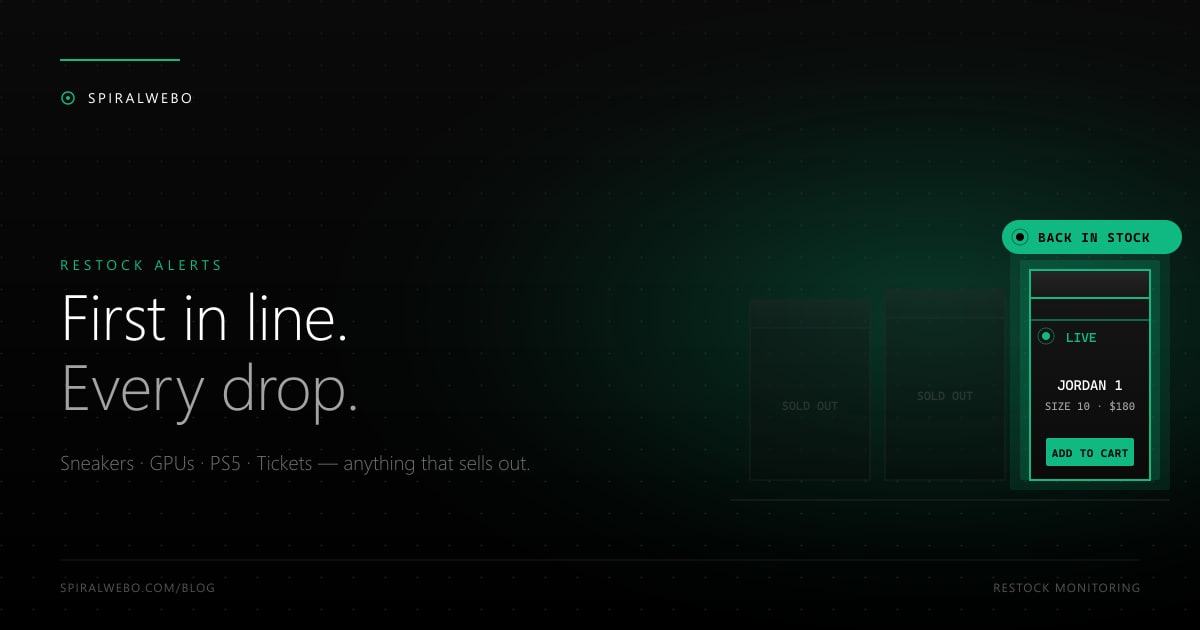
Sneakers, GPUs, the PS5, concert tickets, that one limited-edition figurine — popular items go in and out of stock in minutes. The retailer's built-in "notify me when available" feature, if it exists at all, is slow, batched, and often hijacked by bots before a single email reaches you. Automated restock monitoring is the answer: you watch the product page yourself, and you get notified the second inventory returns. This guide shows you how to set it up — and why your alert channel matters as much as your monitor.
Why generic restock notifications fail
Most e-commerce platforms do offer a "notify me when back in stock" form. They're often useless for the things you actually want, and here's why:
- They batch. Many retailers send notify-me emails as a daily digest. By the time you receive yours, the restock has been live for hours and the item is gone.
- They're throttled. Retailers throttle notify-me lists to avoid hammering their email infrastructure. The first 1,000 subscribers get pinged immediately; the rest get notified slowly.
- They go to spam. Automated emails from retail platforms are heavily filtered. Your "in stock!" message routinely arrives in Promotions or Spam, where you find it three days later.
- Bots beat them. Bot networks scrape inventory continuously and buy the moment stock returns. By the time the email queue starts processing, the bots have cleared the shelf.
The fix is to monitor the page yourself, on your schedule, and route alerts to a channel that delivers in seconds rather than minutes.
How restock monitoring actually works
Restock monitoring is a special case of website change monitoring. Instead of watching for any change to a page, you watch a single element that tells you whether the item is in stock. Common patterns:
- The "Add to cart" button appears or becomes enabled.
- A "Sold out" or "Out of stock" label is removed.
- The stock-status text changes from "Currently unavailable" to "In stock."
- A size or variant becomes selectable.
You configure your monitor to watch that specific element. As long as it doesn't change, no alert. The moment it changes — within seconds, not minutes — you get notified. The whole flow is the same one we cover in our complete guide to website change monitoring; what's different here is the urgency, which dictates your settings.
Set up restock alerts step-by-step
Step 1 — Pick the exact product page
Don't monitor a category page or a search result page — they include too many products and trigger false alerts when unrelated items change. Drill down to the individual product URL. If the product has variants (size, color, model), pick the URL of the specific variant you want, because stock often differs by variant.
Step 2 — Identify the right element to watch
Open the page and look for the strongest "in stock / out of stock" signal:
- If there's a clear "Out of stock" or "Sold out" badge, monitor that element. The moment it disappears, you're alerted.
- If the "Add to cart" button is greyed out or replaced with "Notify me," monitor that button's text.
- If the page shows an explicit "0 in stock" counter, monitor the counter itself.
SpiralWebo's visual selector tool lets you click on the element directly and generates the CSS selector for you. No HTML inspection needed.
Step 3 — Set an aggressive check frequency
For restocks, frequency is everything. Limited drops typically sell out in 60 seconds or less. Recommended check intervals by category:
- Hyped sneaker drops, GPU launches, console restocks: every 1 minute (the floor of most monitoring services)
- Concert tickets and limited event tickets: every 1–2 minutes
- Niche collectibles, vintage items: every 5–15 minutes
- "I'd buy if it ever returned" items: every 1–6 hours
One-minute checks are typically a paid-tier feature. Free tiers usually start at 5- or 15-minute intervals — fine for slow-moving items, too slow for hyped drops.
Step 4 — Route the alert to Telegram
This is the single biggest factor in actually getting the item. Email arrives 2–10 minutes after the alert fires. Telegram arrives in 5–30 seconds. For a 60-second drop, that gap is the entire window. Set up Telegram alerts in SpiralWebo in 3 steps — the time investment pays for itself the first time you snipe a sold-out item.
Categories worth monitoring (and what to watch for)
Sneakers and streetwear
Nike SNKRS releases, Adidas Confirmed, Yeezy drops, Jordan retro releases. Monitor the size you wear, not the generic product page — sizes restock independently. The "Add to cart" button text is the most reliable signal.
Graphics cards and consoles
NVIDIA RTX restocks, PS5 and Xbox restocks at major retailers (Walmart, Target, Best Buy, GameStop). Monitor each retailer separately and consolidate alerts in one Telegram channel. The first retailer to restock wins.
Concert and event tickets
Both initial drops and resale availability. Monitor the specific event page, not the venue's home page. For high-demand drops, also see our concert ticket availability guide for platform-specific tips.
Limited collectibles and vintage
Funko Pops, vinyl reissues, vintage watches on dealer pages. Lower urgency, but inventory often returns at random times — automated monitoring frees you from refreshing manually.
Travel and hotel availability
"Sold out" boutique hotels, Airbnb listings for popular weekends, sold-out flights. Same monitoring pattern, different element to watch.
Common mistakes that miss restocks
Monitoring at too low a frequency
If you set 30-minute checks for a sneaker drop that sells out in 60 seconds, you've already lost. Match your check interval to the speed of the drop.
Watching the wrong element
If you monitor the entire page, you'll get false positives from rotating banners, recommendation carousels, and "X people viewed this" counters. Tighten the selector to the stock-status element specifically.
Email-only alerts
Already covered, but worth repeating: for time-sensitive drops, email is too slow. Telegram, push notifications, or webhooks to your phone are the only realistic options for hyped restocks.
Ignoring rate limits
Aggressive 10-second checks will get your IP blocked by most retailers, which means you stop receiving updates entirely. The 1-minute floor exists for a reason. Respect it and your monitor stays alive.
Frequently asked questions
Will I beat scalper bots to the restock?
Sometimes. Scalper bots run continuous checks and use automated checkout flows, so for the most contested drops they have an edge. But many retailers actively detect and block scalper-bot IPs, while a normal monitor checking on a sane interval flies under the radar. For most restocks (anything outside the absolute hype tier), a 1-minute monitor with Telegram alerts puts you ahead of 95% of the market.
Is automated restock monitoring legal?
Monitoring publicly accessible product pages for personal use is legal almost everywhere. Reselling for profit moves into "scalping" territory, which is regulated in some jurisdictions (notably for concert tickets). Stay on the personal-use side and you're fine.
Can I monitor Walmart, Target, Best Buy?
Yes — they're standard targets. Each has its own quirks (Walmart's "Add to cart" button uses dynamic class names; Target loads stock via JavaScript). Use a monitor with JavaScript rendering enabled and a visual selector tool, and they all work.
How do I monitor a product across multiple retailers at once?
Create one tracking job per retailer/product URL. Route all of them to the same Telegram channel. Whichever fires first is the one to act on. Most monitoring tools (SpiralWebo included) let you tag jobs so the alert tells you immediately which retailer triggered it.
What's the best free restock monitor?
SpiralWebo's free plan includes Telegram alerts and gets you started. ChangeDetection.io is open-source and self-hostable if you want full control. For a head-to-head comparison see our best free website change monitor roundup.
Set up your first restock alert in two minutes
The next limited drop you actually want will sell out before you finish reading the announcement email. The fix is automated, fast, and free. Sign up for SpiralWebo's free plan, point a monitor at the product you want, route alerts to Telegram, and the next time inventory returns you'll be the first to know.