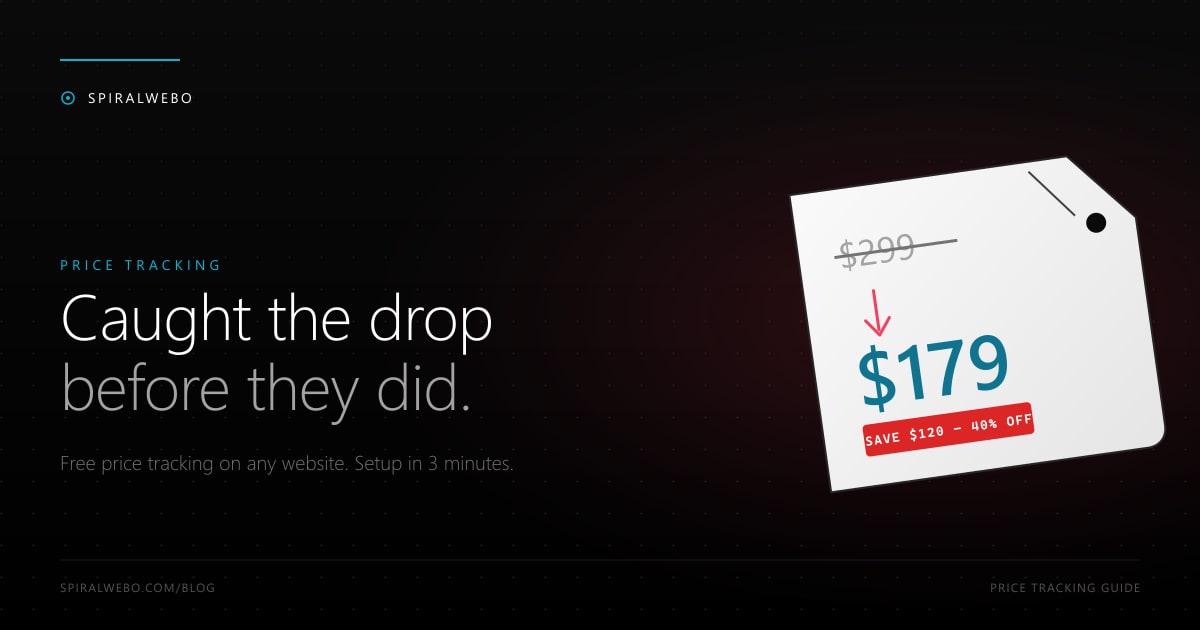
If you've ever bought something online and seen the price drop the next week, you've felt the pain this guide solves. Manual price-checking is a tax on your time. The good news: setting up automatic price-drop tracking on any website takes about three minutes, costs nothing, and works on stores that don't have a built-in "notify me" feature. This guide shows you exactly how to do it, what to watch out for, and which mistakes will make you miss the drops you care about.
Why automatic price tracking saves real money
Retailers know exactly when you're shopping. They use dynamic pricing, geo-pricing, and time-of-day pricing to nudge you toward buying at the highest price you'll tolerate. Automatic price tracking flips the table: you set the price you want to pay, and you get notified the moment the listing reaches it.
A few patterns we see in real user data:
- Flash sales. Many retailers run unannounced 30-minute discounts on specific SKUs. By the time these surface on deal aggregators, the sale has often ended. Direct page monitoring catches them in real time.
- MAP violations. Minimum advertised price agreements get broken regularly when small retailers test-drop a price for a few hours.
- Black Friday creep. "Black Friday" prices increasingly appear in early November and disappear by mid-month. The headline date is bait; the real deals leak earlier.
- Inventory adjustments. When a retailer overstocks an item, prices drop quietly without any marketing — exactly the kind of drop a monitor catches and a human shopper misses.
How automatic price tracking works
The mechanism is dead simple. A monitoring tool:
- Fetches the product page at an interval you choose (every 5 minutes, every hour, daily — your call).
- Locates the specific element on the page that contains the price (using a CSS selector or visual region).
- Stores the current value, then compares each new fetch against the last one.
- Fires an alert the moment the value changes — to email, Telegram, web push, Slack, or a webhook.
The "specific element" part is the magic. Without it, every banner change, every "1 sold in the last hour" timestamp, and every recommended-products carousel would trigger a false alert. With a precise selector, you only get notified when the actual price changes.
Set up your first price tracker in 3 minutes
Here's the full setup, with no scripting and no scraping skills required.
Step 1 — Find the product you want to track
Open the listing page on the retailer's site (Amazon, Best Buy, Target, a small Shopify store — it doesn't matter). Make a note of the URL. If the product has variants (size, color), pick the variant URL specifically — the price often differs by variant.
Step 2 — Identify the price element
Right-click the price on the page and choose "Inspect." A developer panel opens showing the HTML element containing the price. You don't need to read the HTML — most monitoring tools (including SpiralWebo) have a visual selector tool that lets you click on the price and auto-generate the selector for you.
If you're using SpiralWebo specifically: paste the URL into the new-job form, click "Visual selector," then click the price on the page preview. The tool generates the CSS selector behind the scenes.
Step 3 — Set frequency and notification channel
Pick how often the page should be checked. Some guidance:
- Flash-sale items (sneakers, GPUs, limited drops): 1–5 minutes
- Regular e-commerce SKUs: 30–60 minutes
- Travel and hotel pricing: hourly to daily
- Wishlist items you'd like to buy "if it ever drops": daily
Then pick how you want to be notified. For prices, we strongly recommend Telegram alerts: they hit your phone in seconds, with no spam-folder risk. Email works fine for less time-sensitive items.
Tracking multiple stores at once
Once you've built one tracker, scaling up is trivial. Most users build out one of three patterns:
- The wishlist. 10–20 items you've been eyeing. Daily check, single Telegram chat. You get a quiet drip of "this thing dropped" messages.
- The hunt. A specific product across 5+ retailers (Amazon, Best Buy, B&H, Newegg, Target). Whichever drops first wins your purchase.
- The deal channel. A Telegram channel you and your friends subscribe to. Everyone contributes monitors; everyone benefits when one of them fires.
For competitive monitoring use cases (tracking your competitor's prices, not consumer prices), see our guide on monitoring competitor pricing pages.
Common mistakes that break price tracking
If your alerts go quiet, or you keep getting alerts for nothing, one of these is usually the cause:
Selecting too much of the page
If your selector grabs the price plus a "people also bought" carousel, you'll get an alert every time the carousel rotates. Tighten the selector to just the price element — usually a <span> with a class like .product-price or .price-current.
JavaScript-rendered prices
Many modern stores load prices via JavaScript after the page renders. If your monitor fetches raw HTML, it won't see the price. The fix: enable JavaScript rendering on the tracking job. Performance is slower and slightly more expensive, but it's the only reliable way for SPA-style storefronts. We have a dedicated guide on monitoring JavaScript-rendered pages.
Geo-pricing surprises
Retailers like Amazon serve different prices to different countries. If your monitor's IP is in Germany and yours is in the US, you'll be tracking a price you can't actually buy. Use a monitor that can run from your region (or test the URL once from your country to confirm).
Tracking the wrong currency
Especially common on international SKUs. The element with $ in it might be the recommended retail price, not the actual sell price. Confirm visually that the element you're watching is the price you'd actually pay at checkout.
Frequently asked questions
Is automatic price tracking legal?
Yes — monitoring publicly accessible prices is legal in most jurisdictions. The leading legal precedent is the hiQ Labs v. LinkedIn case in the US Ninth Circuit, which broadly affirmed that scraping public pages does not violate the Computer Fraud and Abuse Act. Pages behind a login are a different story; respect the site's terms of service.
Will the retailer block me?
If you check too aggressively, yes. A respectful frequency (every 5–60 minutes per page, not every second) and a normal user-agent string almost never trigger blocks. SpiralWebo's defaults are tuned to avoid this automatically.
Can I track Amazon prices?
Yes, but Amazon serves different markup to bots versus humans, and prices can be JavaScript-rendered. Enable JS rendering on the job and confirm the selector picks up the actual price, not the strikethrough. For Amazon-specific tracking, dedicated tools like CamelCamelCamel exist — but if you want to track Amazon plus 10 other retailers in one place, a general-purpose monitor wins.
What's the cheapest way to do this?
SpiralWebo's free plan tracks one page with Telegram and email alerts at no cost. ChangeDetection.io is open-source if you want to self-host. Most paid tools start around $5–$10/month for a few dozen pages.
Can I get alerted only when the price drops below X?
Yes, with the right tool. Look for a "value threshold" or "regex match" feature — it lets you ignore changes unless the new price is below your target. Otherwise, you'll get notified for every change including price increases.
Start tracking prices in two minutes
The cost of not tracking prices is invisible — every overpaid dollar feels normal because you didn't know it could've been cheaper. The cost of tracking is two minutes of setup and zero ongoing effort. SpiralWebo's free plan gives you everything you need: a tracked page, Telegram and email alerts, and change history. Start your first price tracker free →
Once you've set up a couple of price monitors, the natural next step is restock alerts — same mechanism, different element on the page, equally addictive once you've caught your first sneaker drop.